Owscribe for iPhone · Coming soon
Dictate from anywhere.
Start from Control Center, the Lock Screen, the Action Button or Siri, without opening the app. A Live Activity shows it’s listening; stop, and the text is recognized on your iPhone and copied, ready to paste.
- Your languages, recognized as on the Mac, or a control set to one.
- Every dictation is kept, to search, correct and copy again.
- Share a voice message from a messaging app, and read it.
- The copied text clears from the clipboard after five minutes.
Contexts
Writes for where you are.
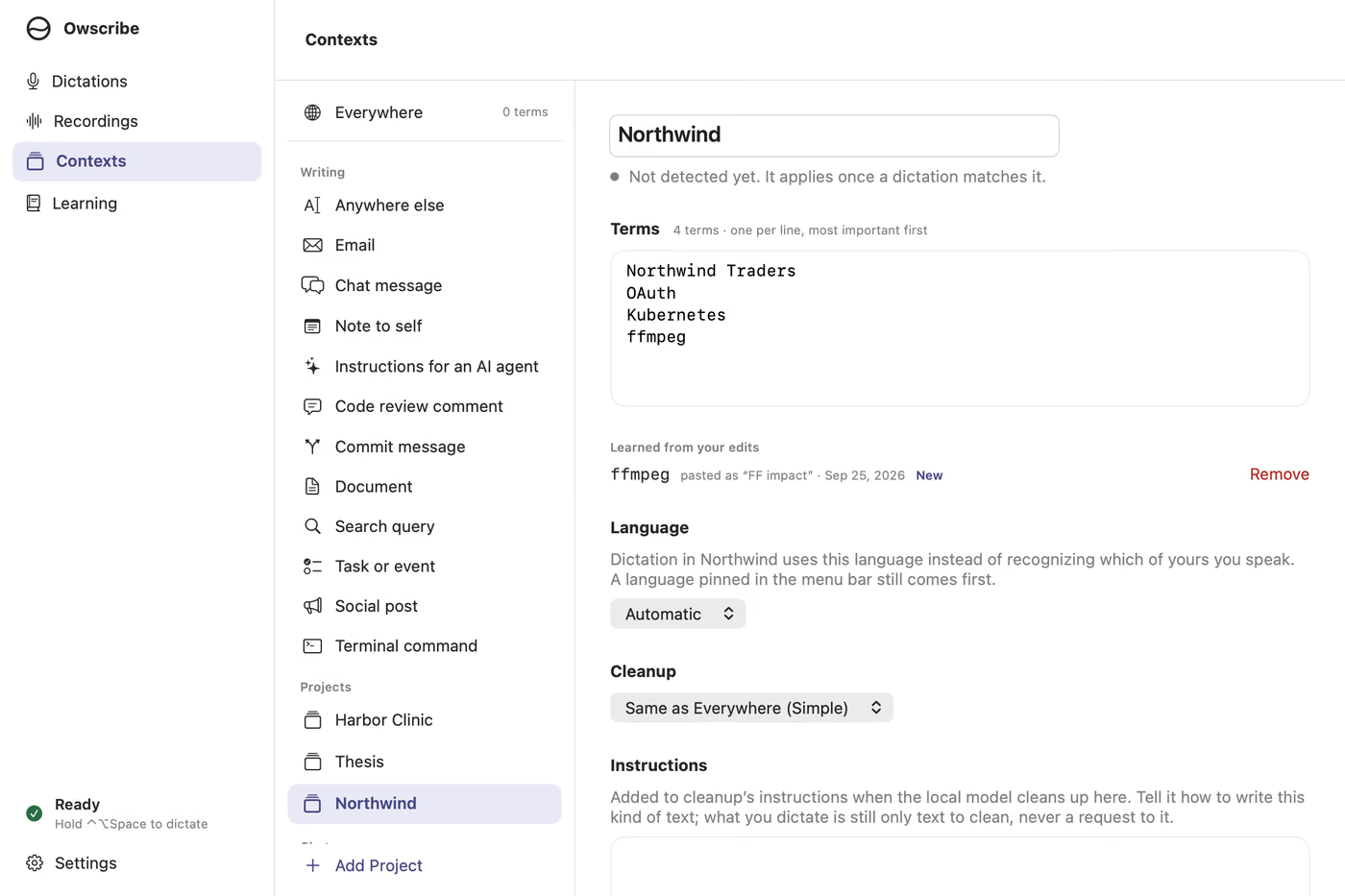
Owscribe sees whether you’re writing an email, a chat message, a note or a commit message, and which project it’s about, with no setup. Each can keep its own names and terms, language and cleanup, so a client’s name or a specialist term comes out spelled as you spell it.
Dictations
Every dictation, kept.
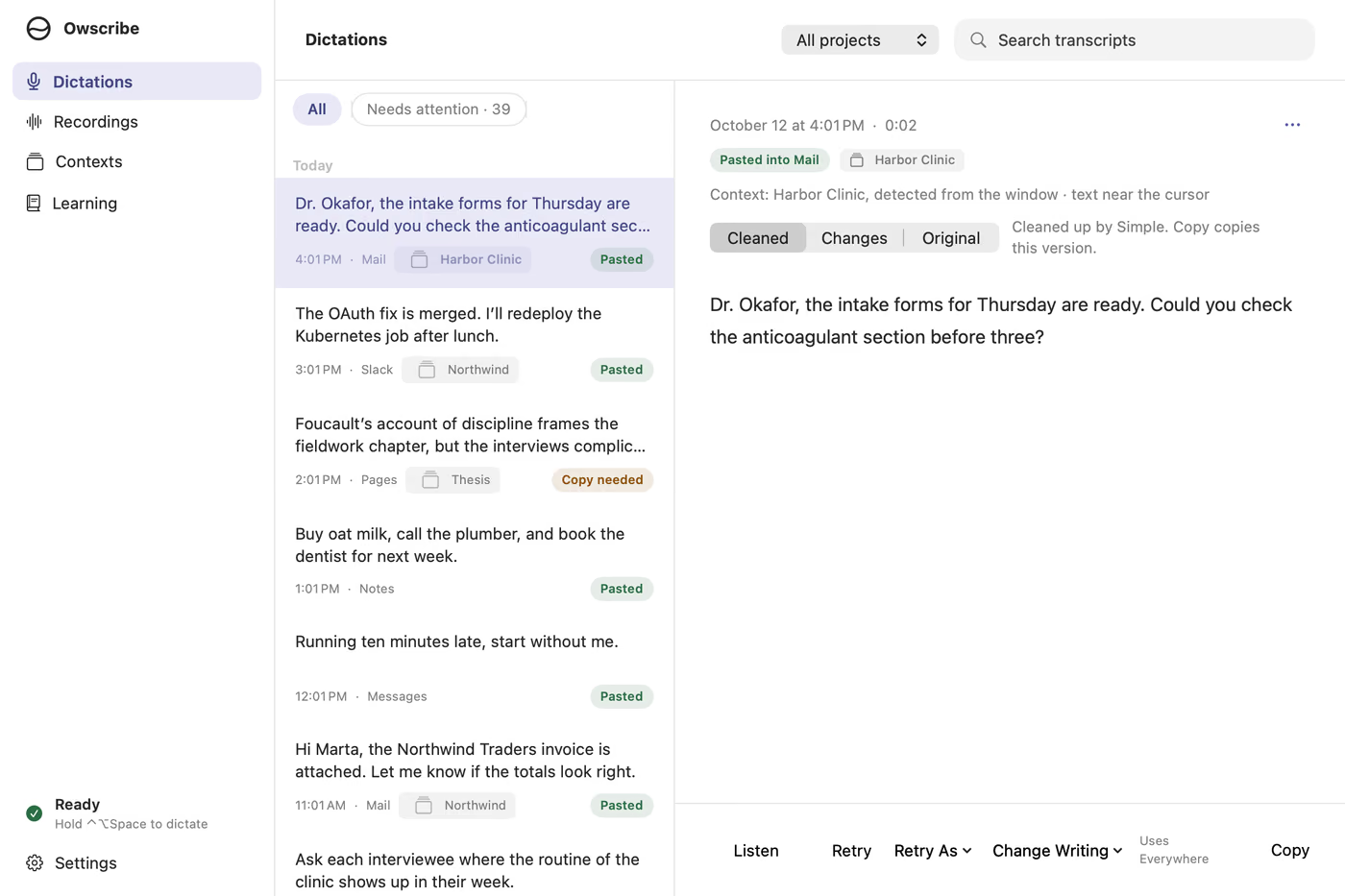
Each one is saved with its recording, the app it went into and its context. Search them, listen again, copy one, or transcribe it again in another language. Recordings you already have can be transcribed too, and any transcript saved as a file.
Questions
- How is this different from the dictation built into my Mac and iPhone?
- Owscribe spells your names and terms the way you do, with terms for each context, and learns the ones you correct. It keeps every dictation so you can get one back, and it speaks Armenian. Nothing it hears leaves your device.
- Does it clean up what I say?
- Your choice: off, or simple cleanup that removes fillers in each language. On a Mac, a local language model can also drop stutters and false starts and apply corrections you speak. All of it runs on your device.
- How does it work on iPhone?
- The iPhone app is coming soon. Start a dictation from a control or Siri, or in the app. When you stop, Owscribe opens for a moment to recognize it on the iPhone, then copies the text for you to paste, in any app or, with Universal Clipboard, on your Mac.
- Who makes it?
- Misha Aghamalyan. Tell us what works and what doesn’t at hello@owscribe.com.
What you need
- Mac
- Apple silicon, macOS 26 or later
- iPhone
- iOS 26 or later, when the app arrives soon
- Languages
- 30, plus Armenian, on Mac and iPhone
- Speech models
- Downloaded once when you set up, then everything works offline
- Permissions
- The microphone. On a Mac, Accessibility too, so it can paste and see which context you’re in.